T Shirt Logo Design: Ideas, Tools & Placement
Good t shirt logo design comes down to three things: a simple, legible mark; the right placement and size for the shirt; and a clean file that prints or stitches sharply. Get those right and even a basic logo looks professional; get them wrong and the best idea in the world prints blurry, sits in the wrong spot, or vanishes into the fabric.
This guide covers the standard logo placements and sizes in inches, the tools you can use with or without design skills, how to choose between printing and embroidery, the file formats that matter, and the do-and-don't rules that separate a crisp logo tee from an amateur one.
T-shirt logo placement and sizes
Placement is the fastest way to tell a considered design from a careless one. Each position on a shirt has a conventional size range that just looks right.
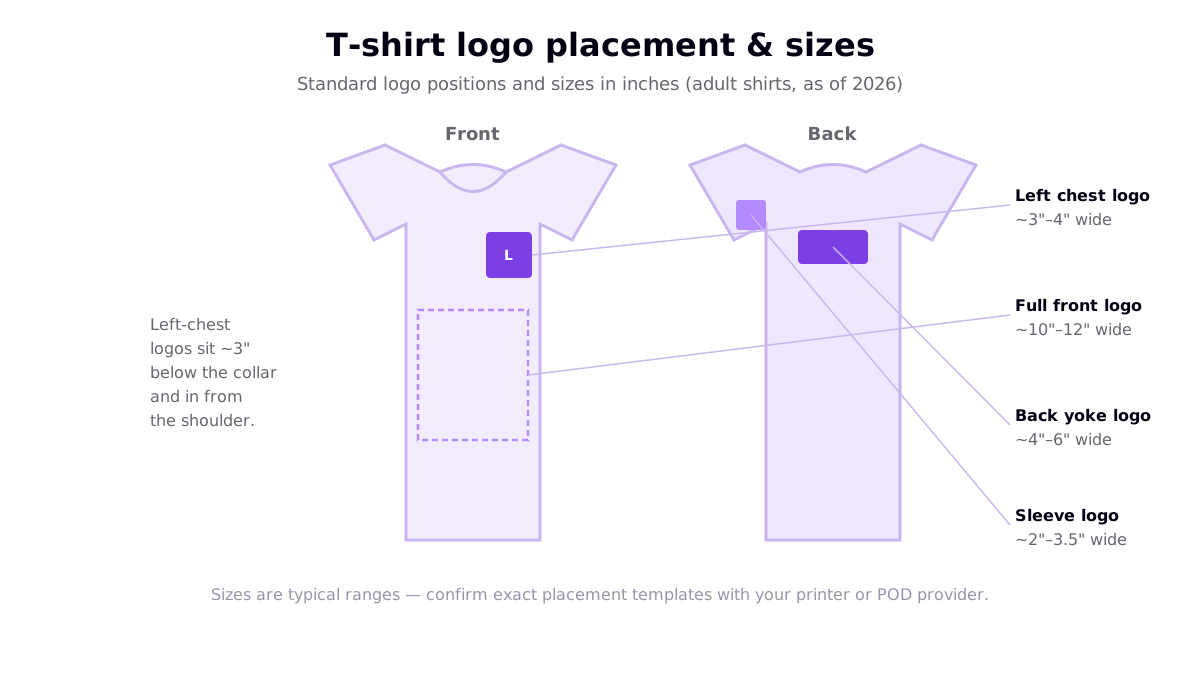
| Placement | Typical logo size | Best for |
|---|---|---|
| Left chest | ~3–4 inches wide | Brand marks, uniforms, subtle logos |
| Full front | ~10–12 inches wide | Bold brand statements and hero logos |
| Back yoke (upper back) | ~4–6 inches wide | Team names, secondary branding |
| Sleeve | ~2–3.5 inches wide | Small accents, sponsor marks |
A left-chest logo usually sits about three inches below the collar and in from the shoulder seam. These are typical ranges as of 2026 — always confirm the exact template with your printer or provider, since maximum print areas and placement guides differ by product. For the full picture of print zones on a shirt, see our complete t-shirt design guide.
Tools for designing a t-shirt logo
You do not need to be a designer to make a solid logo. The right tool depends on how much control you want:
- Logo & t-shirt makers — template-driven tools let you assemble a clean mark in minutes with fonts and icons. Great for a first logo.
- All-in-one editors — Canva-style tools combine templates, type and mockups; walk through the workflow in our Canva t-shirt design tutorial.
- AI logo makers — generate a mark or graphic from a text prompt, then refine the type and colours yourself.
- Vector software — Illustrator, Affinity Designer or the free Inkscape give full control and the vector output that printing and embroidery prefer.
Whichever you use, aim to end up with a vector file, or at least a high-resolution transparent PNG, so you can resize the logo for every placement without it degrading.
Print or embroidery? How to decide
A logo tee can be printed or embroidered, and the right choice depends on the mark itself. This flowchart maps the decision.
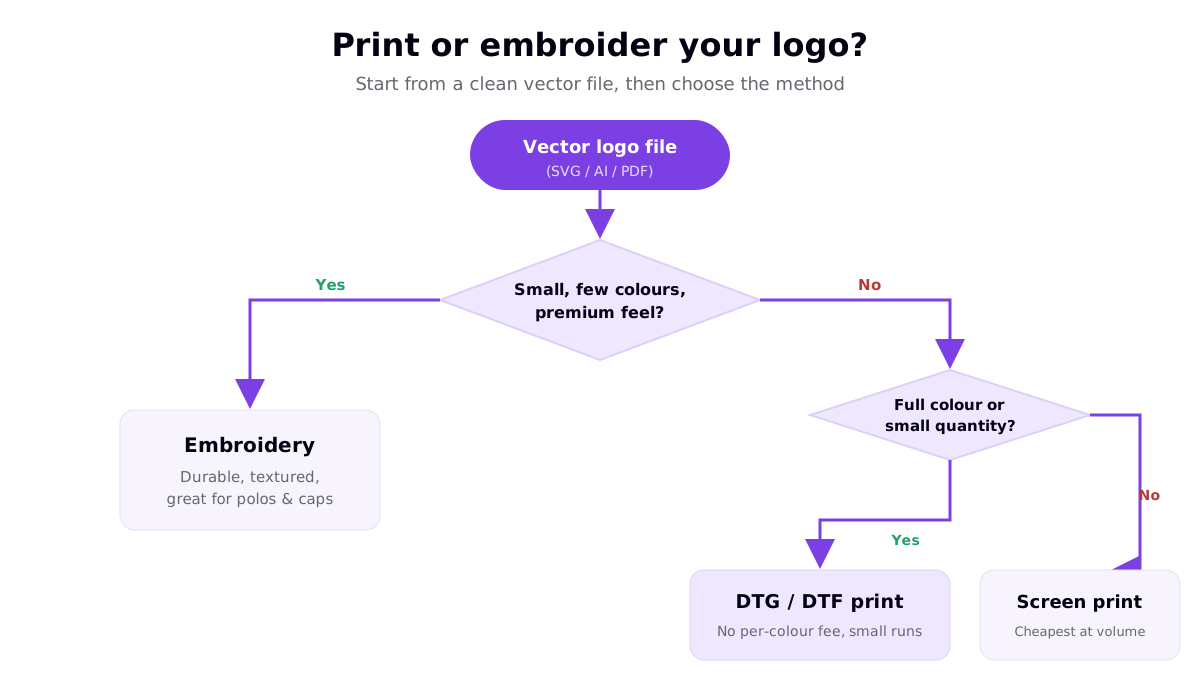
- Embroidery suits small, simple, few-colour marks and gives a durable, textured, premium feel — the classic choice for polos and caps.
- DTG / DTF printing handles full-colour, detailed logos with no per-colour fee and is cost-effective for small runs and print on demand.
- Screen printing is the cheapest per unit for simpler logos at higher volumes, because setup cost is spread across many shirts. Each additional ink colour typically adds a setup charge, so simple logos are cheaper to screen print.
If you are printing on demand, most providers use DTG or DTF, so full-colour logos are fine. If you are ordering uniforms or merch in bulk, embroidery and screen printing become more attractive — our breakdown of the custom polo shirt design process covers embroidery in more depth.
File formats and resolution
The technical side is short but non-negotiable:
- Vector first. An SVG, AI or PDF logo scales to any size without losing quality and separates cleanly for screen printing and embroidery digitising.
- PNG as a fallback. If you only have raster, use a transparent-background PNG at roughly 300 DPI at the print size so edges stay crisp.
- Keep a master file. Store an editable version so you can regenerate the logo at chest, sleeve and back sizes on demand.
- Design in the logo's real colours. Confirm the print method's colour handling with your provider to avoid surprises.
Do's and don'ts of t-shirt logo design
Most logo-tee failures fall into four buckets. Here is what to do instead.
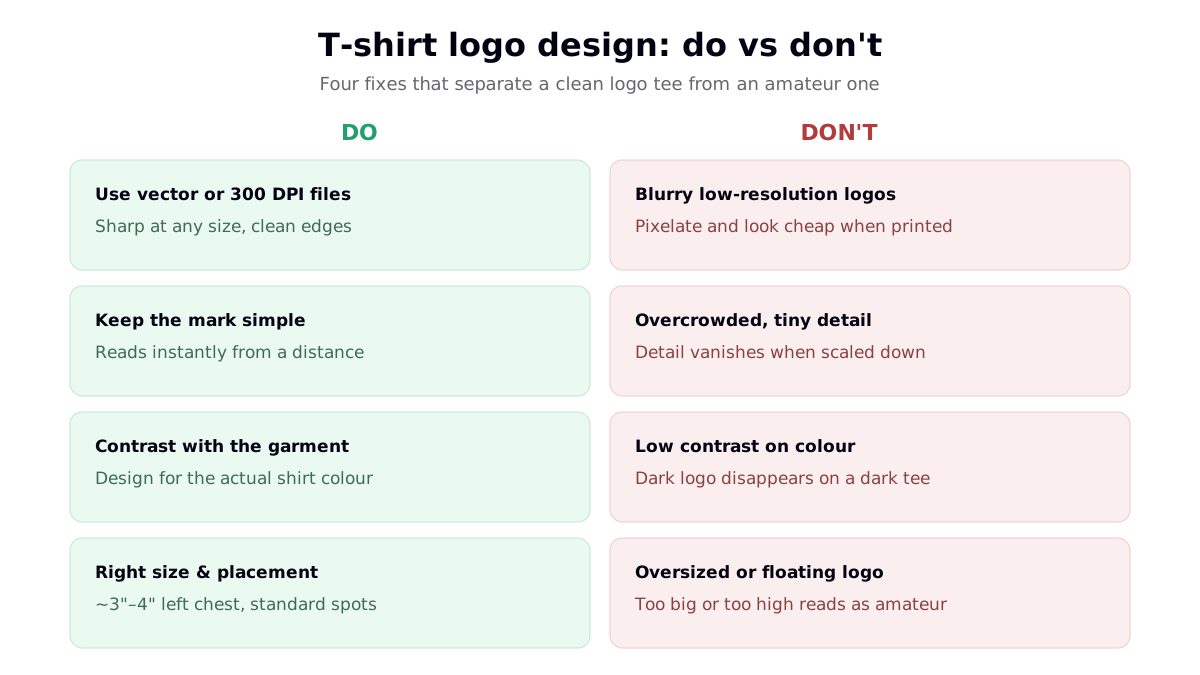
- Do use vector or 300 DPI files; don't upload blurry low-resolution logos that pixelate when printed.
- Do keep the mark simple so it reads instantly; don't overcrowd it with tiny detail that vanishes when scaled down.
- Do design for contrast against the actual garment colour; don't put a dark logo on a dark tee where it disappears.
- Do use standard size and placement; don't float an oversized logo too high on the chest — it instantly reads as amateur.
Simplicity is doing most of the work here. If you are tempted to add more, look at our examples of simple shirt designs that sell — restraint usually wins.
Bringing it together
A great t-shirt logo is simple, sized and placed to convention, built as a clean vector or high-resolution file, and matched to the right decoration method. Nail those and your logo works on a single custom tee, a company uniform, or a print-on-demand product line alike. Start simple, preview on a mockup of the real shirt colour, and order a sample before you scale — seeing the logo on the actual garment catches issues no screen preview will.
Frequently asked questions
What size should a logo be on a t-shirt?
A standard left-chest logo is usually about 3 to 4 inches wide, positioned roughly 3 inches below the collar and in from the shoulder seam. A full-front logo runs around 10 to 12 inches wide, a back-yoke logo about 4 to 6 inches, and a sleeve logo roughly 2 to 3.5 inches. These are typical ranges — always confirm the exact placement template with your printer or print-on-demand provider before finalising.
What file format is best for a t-shirt logo?
A vector file — SVG, AI or PDF — is ideal for a logo because it scales to any size without losing sharpness and separates cleanly for screen printing and embroidery digitising. If you only have a raster version, make sure it is a transparent-background PNG at roughly 300 DPI at the print size so it prints crisp. Keep an editable master file so you can resize the logo for chest, sleeve and back placements without quality loss.
Should a t-shirt logo be printed or embroidered?
It depends on the logo and the look you want. Embroidery suits small, simple, few-colour marks and gives a durable, premium, textured finish that works well on polos and caps. Direct-to-garment and DTF printing handle full-colour and detailed logos with no per-colour fee and are cost-effective for small runs. Screen printing is cheapest for simpler logos at higher volumes. Match the method to your colour count, detail, size and budget.
How do I make a t-shirt logo without design skills?
Use a logo or t-shirt design tool with templates, or generate a mark with an AI logo maker and refine it. Keep it simple: one clear idea, an easy-to-read font, and strong contrast against the garment. Export a vector file if the tool allows, or a high-resolution transparent PNG. The most common beginner mistakes are low-resolution files, overcrowded marks, poor contrast, and oversized or floating placement — all easy to avoid once you know them.
Resources
- Fourthwall — T-Shirt Logo Design Placement Guide (placement and size references)
- TheVectorLab — T-Shirt Logo Templates (top ranking result for the primary keyword)
- Adobe Express — Free T-Shirt Logo Maker (top ranking result)
- Canva — T-Shirt Design Maker (top ranking result)
- Custom Ink — Image Resolution Guide (vector, raster and DPI reference)