T Shirt Design: The Complete Guide for 2026
Good t shirt design is the point where a clear idea, the right print size, and a clean file all meet. Whether you want to make one shirt for yourself or build a graphic-tee catalogue to sell, the fundamentals are the same: design for a specific audience, place the artwork correctly on the garment, and export a print-ready file at the right resolution.
This guide walks through all of it — the print zones and standard sizes, the step-by-step design process, the styles that actually sell, and the file and mistake-avoidance details that decide whether a shirt looks sharp or blurry. Custom apparel keeps growing as a category, and the barrier to designing a great tee has never been lower.
T-shirt design basics: zones, sizes and placement
Before you design anything, know where it will sit and how big it can be. Getting placement right is one of the most common ways beginners go wrong — a design floating too high or sized like a billboard looks amateur even when the art is good.
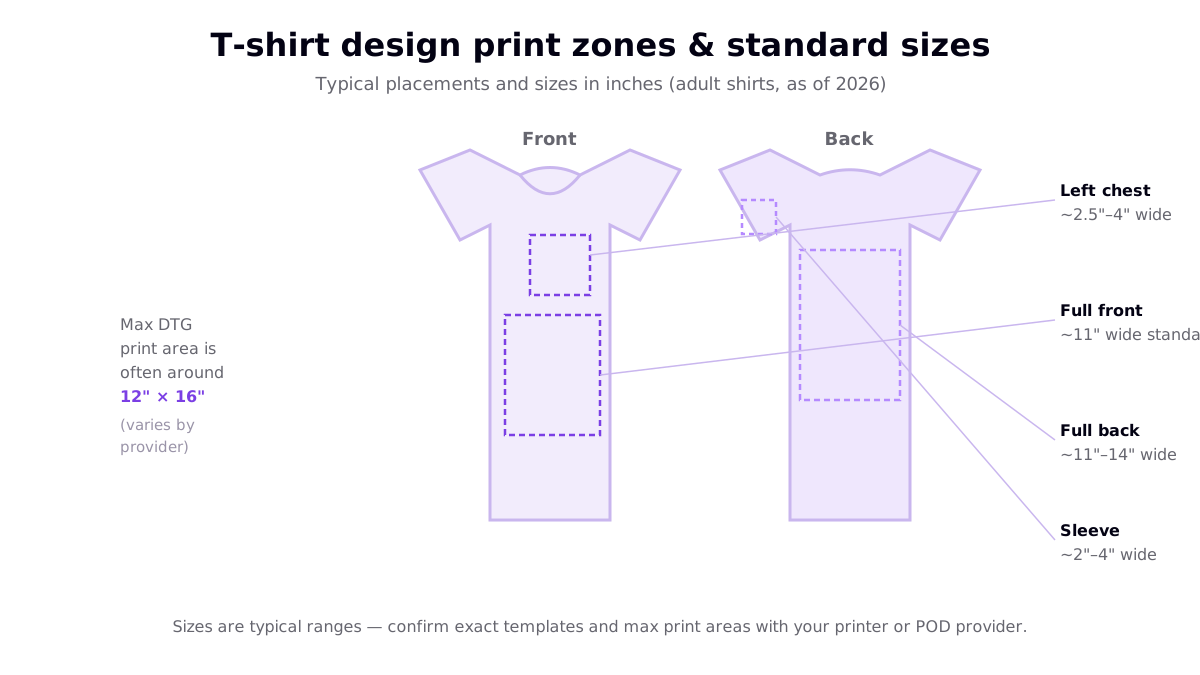
The usual placements and rough sizes (as of 2026) are:
- Left chest: around 2.5–4 inches wide, positioned roughly three inches below the collar and a couple of inches in from the armpit. Ideal for logos and small marks.
- Full front: a standard adult front print is about 11 inches wide, centred and starting a few inches below the neckline.
- Full back: larger, roughly 11–14 inches wide, common for statement graphics and event shirts.
- Sleeve: small, about 2–4 inches, used for accents and branding.
Most direct-to-garment (DTG) print areas top out near 12 by 16 inches, though this varies by provider and product. Whatever you design, build it at the final print size so the proportions are true.
The t-shirt design process, step by step
Whether you draw by hand, use design software, or start from an AI-generated concept, the workflow is the same six steps.
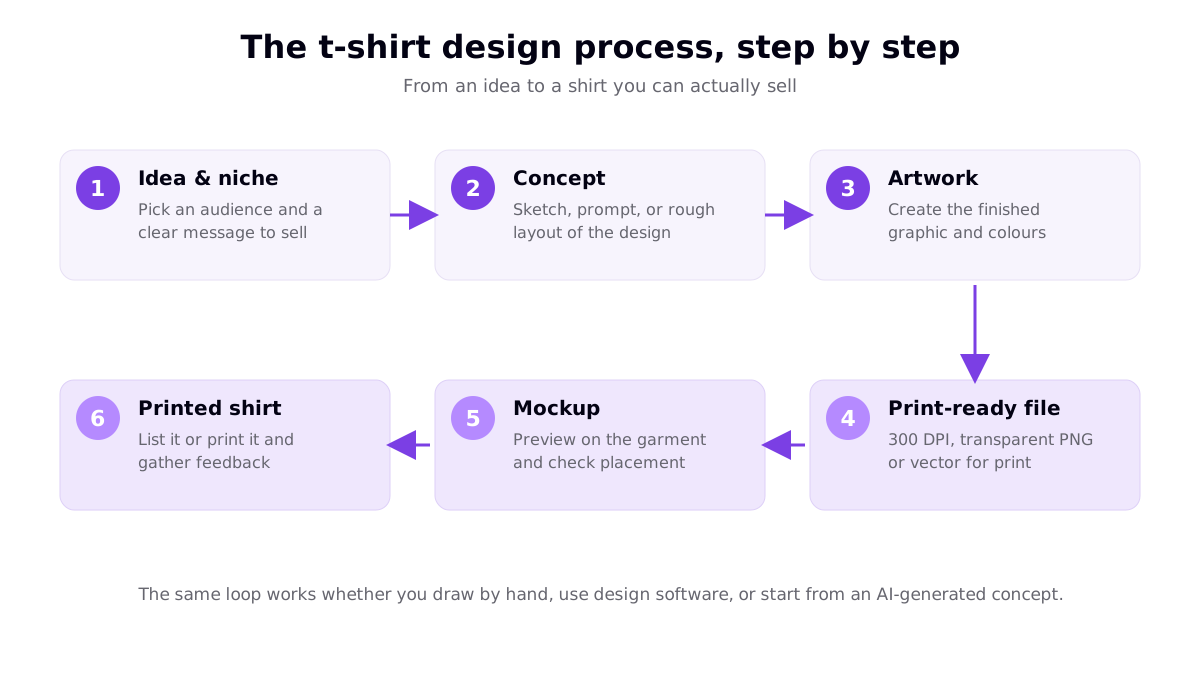
- Idea & niche. Start with an audience and a message, not a blank canvas. "Gifts for cat-owning nurses" points you to a design; "cool shirt" does not.
- Concept. Rough out the layout — a sketch, a text prompt, or a quick mockup of where type and graphics sit.
- Artwork. Build the finished graphic: refine shapes, choose colours, and lock in the composition.
- Print-ready file. Export at 300 DPI at print size as a transparent PNG, or as a vector for text and simple graphics.
- Mockup. Preview the design on the actual garment colour to check contrast, placement and size before anyone prints it.
- Printed shirt. List it, or print a sample, and use real feedback to decide what to make next.
If you are designing to sell, this loop is the whole business — the faster and more often you run it, the more you learn about what works. See our practical walkthrough of how to design your own shirt with free tools if you want a hands-on starting point.
Design styles that actually sell
Trying to be all styles at once produces muddy shirts. Pick a lane that fits your niche. Eight styles cover most of what sells on graphic tees.
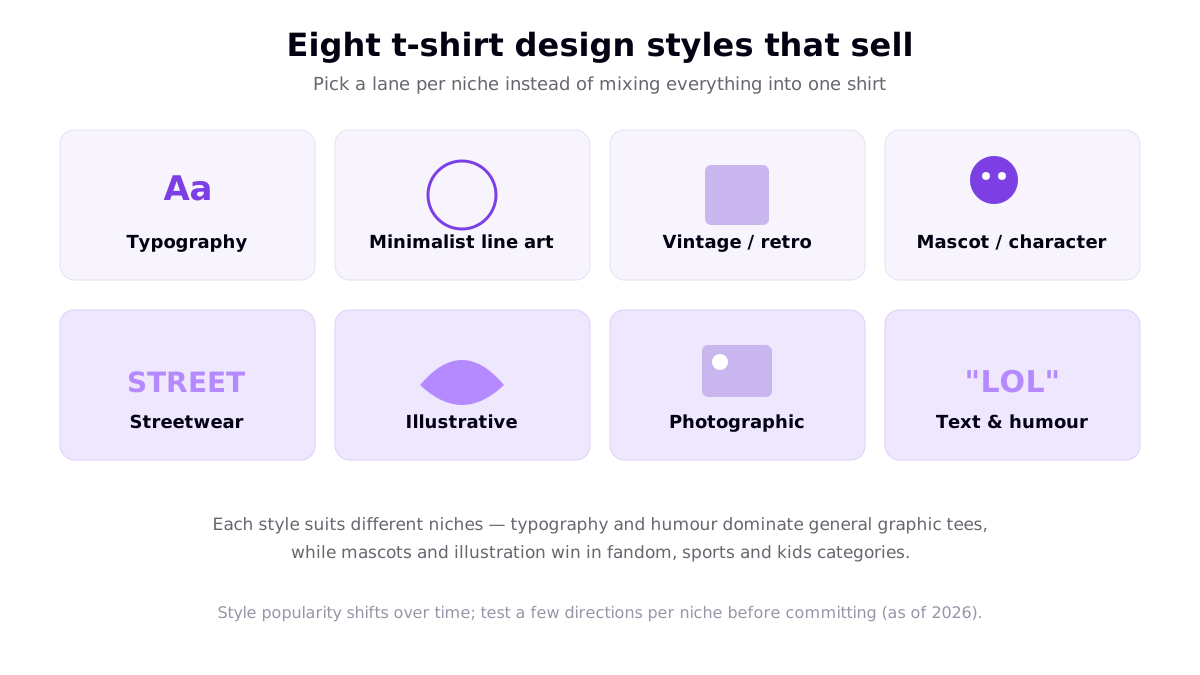
- Typography. Words and lettering as the whole design. No drawing required, and endlessly adaptable per niche — learn the craft in our typography t-shirt design guide.
- Minimalist line art. Clean single-line or single-colour graphics that read instantly and print cheaply.
- Vintage / retro. Washed palettes, distressed textures and throwback layouts; consistently popular for nostalgia niches.
- Mascot / character. A friendly character or logo mark, strong in fandom, sports and kids categories.
- Streetwear. Bold layouts, oversized type and layered graphics aimed at fashion-led buyers.
- Illustrative. Detailed hand-drawn or painted artwork; higher perceived value, great for art-led shops.
- Photographic. Full-colour images that suit DTG printing; best on light garments with high-resolution source files.
- Text & humour. Jokes and one-liners that let buyers signal their sense of humour — the trick is matching the joke to a specific audience.
Browse our roundup of cool t-shirt design ideas that sell for concrete examples across these styles.
Choosing colours that print well
Colour choices affect both looks and cost. A few rules keep designs sharp and affordable:
- Contrast with the garment. Design with the shirt colour in mind — a dark design vanishes on a dark tee. Always preview on the actual garment colour.
- Fewer colours can mean lower cost. With screen printing, each additional ink colour typically adds a per-colour setup charge, so simple two- or three-colour designs are cheaper to run at volume than full-colour art.
- Full colour favours DTG. Direct-to-garment and DTF printing handle photographic and many-coloured designs without per-colour fees, which is why print-on-demand full-colour art is common.
If you sell through a print-on-demand provider, most apparel is printed with DTG or DTF, so full-colour designs are fine — but keeping designs clean still improves how they read at arm's length.
Files: getting to print-ready
The most avoidable failures in t-shirt design are file failures. Lock these down every time:
| Requirement | What to do | Why it matters |
|---|---|---|
| Resolution | 300 DPI at final print size (e.g. ~3,600 px for a 12" print) | Prevents blurry, pixelated prints and refunds |
| Format (apparel) | Transparent-background PNG | Widely accepted; the garment shows through around the art |
| Format (text/logos) | Vector — SVG, AI or PDF | Scales to any size and separates cleanly for screen printing |
| Working file | Keep an editable original | Lets you revise colours and sizes without redrawing |
| Colour mode | Design for the print method your provider uses | Screens vary; check provider guidelines for exact specs |
For AI-generated artwork, the extra step is upscaling to hit 300 DPI and removing the background before upload — walk through it in our 300 DPI print-ready guide.
Beginner mistakes to avoid
- Low-resolution files. The number-one cause of bad prints. Design at 300 DPI at print size.
- Wrong placement or size. A tiny front print or a design sitting too high reads as amateur. Use standard placements.
- Ignoring garment colour. Preview on the actual shirt colour so your design has contrast.
- Using trademarked content. Referencing brands, characters or teams you do not own can get a shop suspended — check the trademark rules for POD sellers first.
- Overcomplicating the design. Cluttered shirts sell worse than one strong idea. When in doubt, simplify.
Frequently asked questions
What size should a t-shirt design be?
It depends on the placement. A left-chest design is usually about 2.5 to 4 inches wide, a standard full-front print on an adult shirt is around 11 inches wide, and full-back prints run roughly 11 to 14 inches. Sleeve prints are small, around 2 to 4 inches. Most direct-to-garment print areas top out near 12 by 16 inches, though it varies by provider. Always design at the final print size and confirm the exact template with your printer.
What resolution do I need for a t-shirt design?
Aim for roughly 300 DPI at the final print size. A design that prints 12 inches wide therefore needs about 3,600 pixels across. Low-resolution files look fuzzy or pixelated once printed, which leads to refunds. For apparel, export a high-resolution PNG with a transparent background; for logos, text and simple graphics, a vector file scales to any size without losing sharpness.
What is the best file format for t-shirt design?
For most t-shirt printing, a high-resolution PNG with a transparent background is the go-to format because it is widely accepted and layers cleanly onto the garment. Vector formats such as SVG, AI or PDF are best for logos, typography and simple graphics because they resize without quality loss and separate cleanly for screen printing. Keep an editable working file and export a flattened print file for upload.
Do I need to be able to draw to design t-shirts?
No. Plenty of best-selling shirts are pure typography or simple graphics that need no drawing skill at all. You can design with online tools and templates, start from a sketch and vectorize it, or generate a concept with an AI image generator and refine it. What matters more than drawing ability is a clear idea for a specific audience and a clean, print-ready final file.
Resources
- Printful — T-Shirt Design Placement Guide (placement and size references)
- Canva — T-Shirt Design Maker (top ranking result for the primary keyword)
- Custom Ink — The Design Lab (top ranking result)
- Vistaprint — Custom T-Shirts (top ranking result)
- Printful — How to Prepare the Perfect Print File (file format and resolution reference)