How to Start Print on Demand in 2026 (Step-by-Step Guide)
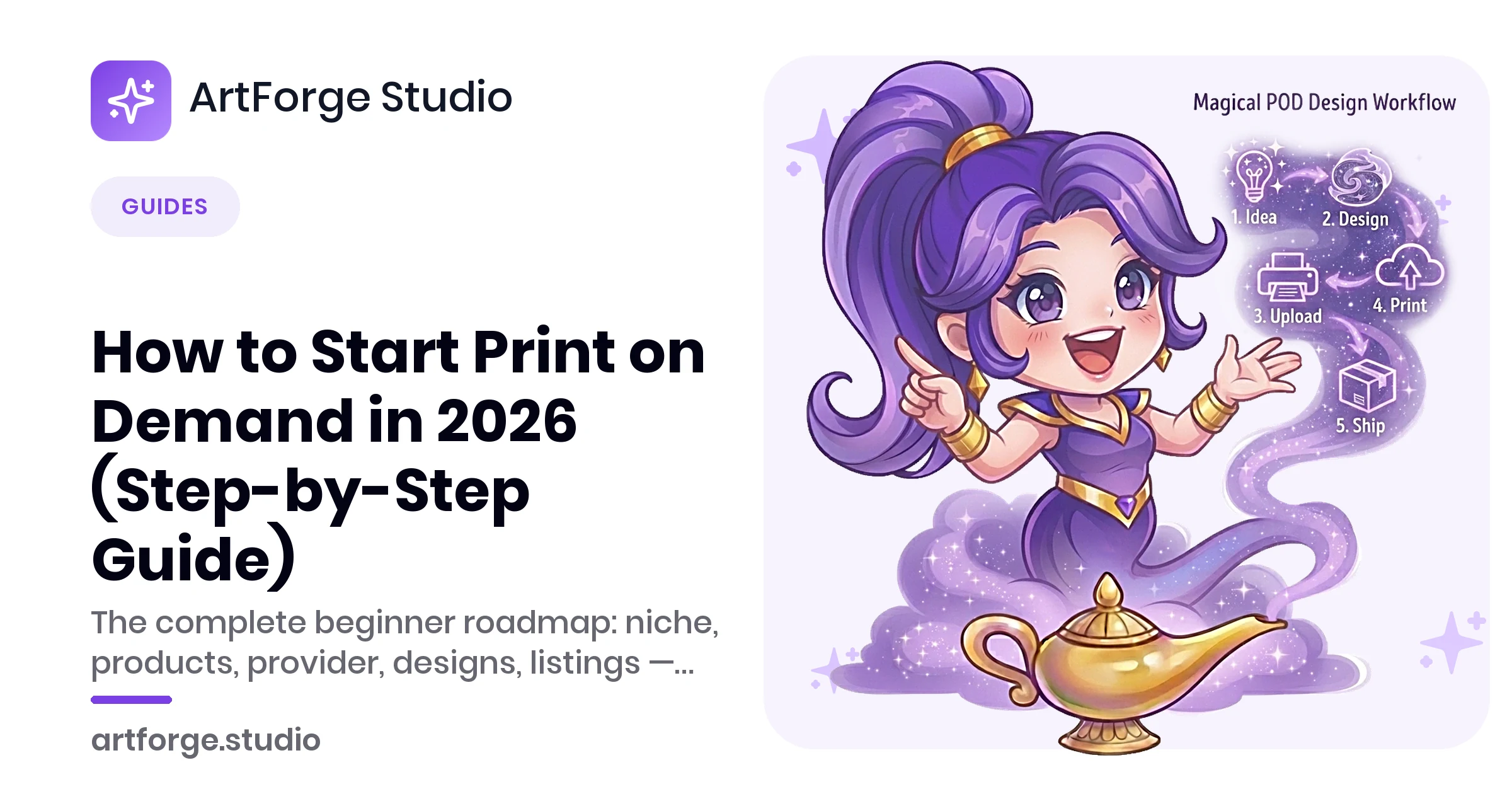
Print on demand (POD) is the lowest-risk way to start an e-commerce business: you list a product design, a customer orders it, and a printing partner produces and ships the item — you never touch inventory. Your costs are near zero until money is already coming in.
That low barrier is also the catch. Millions of listings compete for attention, and generic designs no longer sell. This guide walks through the exact steps that separate shops that get sales in 2026 from shops that quietly die: niche selection, product and provider choice, design production, and listing optimization.
How print on demand actually works
The money flow is simple:
- You create a design and place it on a product (t-shirt, mug, poster) through a POD provider like Printify, Printful, or Gelato.
- You publish a listing on a marketplace (Etsy, Amazon) or your own store (Shopify).
- A customer orders and pays you the retail price you set.
- The provider prints and ships the item directly to the customer and charges you the base cost.
- You keep the difference between retail price and base cost, minus marketplace fees.
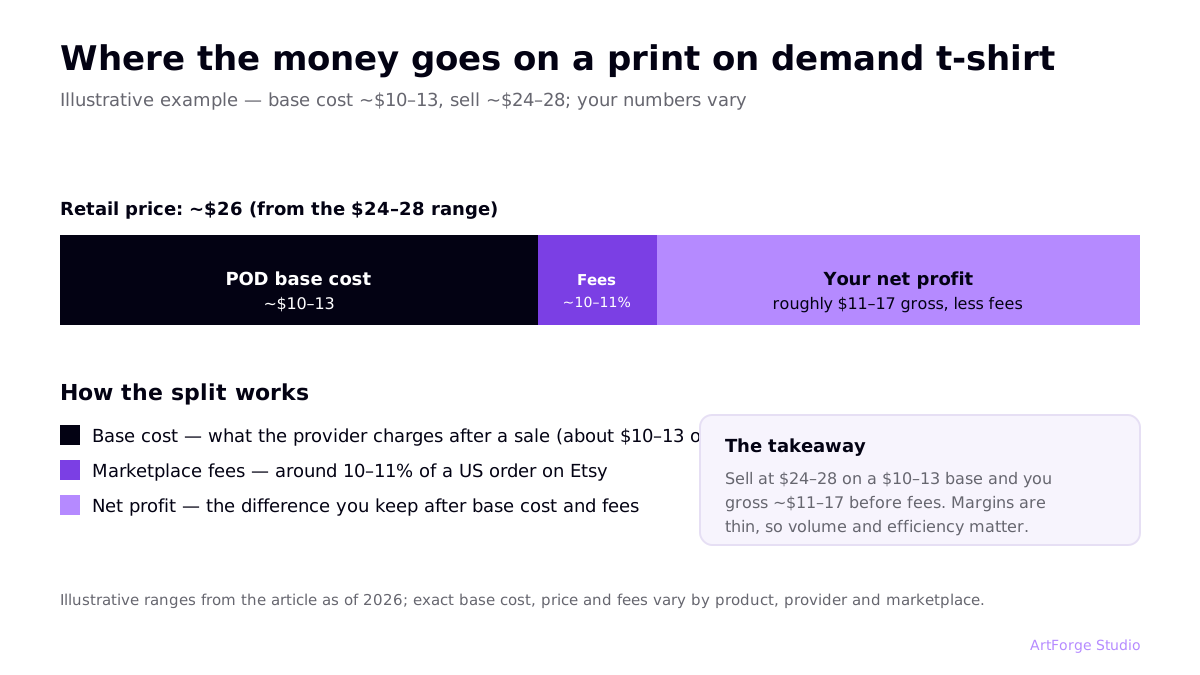
A typical t-shirt example: if the base cost is around $10–13 and you sell at $24–28, you gross roughly $11–17 before marketplace fees. Margins are thinner than handmade goods, which is why volume and efficiency matter so much.
Step 1: Pick a niche (the step most people skip)
"Funny t-shirts" is not a niche. "Retirement gifts for nurses" is. The specificity does three jobs: it tells you what to design, it gives you exact keywords buyers type, and it puts you in smaller search results where a new shop can actually rank.
How to validate a niche in 20 minutes
- Search Etsy for your niche phrase. Thousands of results with big shops on page one means heavy competition; near-zero results may mean no demand. You want the middle: clear demand, beatable competition.
- Check the autocomplete. Type your niche into the Etsy and Amazon search bars — the suggestions are real buyer queries, ordered roughly by popularity.
- Look at reviews on competing listings. Recent reviews signal recent sales. Note what buyers say they bought it for — that language becomes your titles and tags.
Pick two or three niches to start. You will learn more from launching 20 designs across 2 niches than from researching for another month.
Step 2: Choose your first products
Start with products that are cheap to test, forgiving to print, and habitually bought as gifts:
| Product | Why it works for beginners | Watch out for |
|---|---|---|
| T-shirts | Biggest market, endless niches, simple front-print placement | Most competitive category; dark/light garment variants need design tweaks |
| Mugs | Cheap base cost, strong gift purchase behavior | Wrap-around prints need correct template dimensions |
| Posters / wall art | High perceived value, AI art excels here | Needs high resolution — see our 300 DPI guide |
| Stickers | Low price encourages impulse buys and multi-buys | Small margins per unit; sell in packs |
| Tote bags | Simple print area, popular in eco and book niches | Lower search volume than apparel |
Resist launching ten product types at once. One or two products, one or two niches, twenty designs — that is a real test.
Step 3: Choose a POD provider
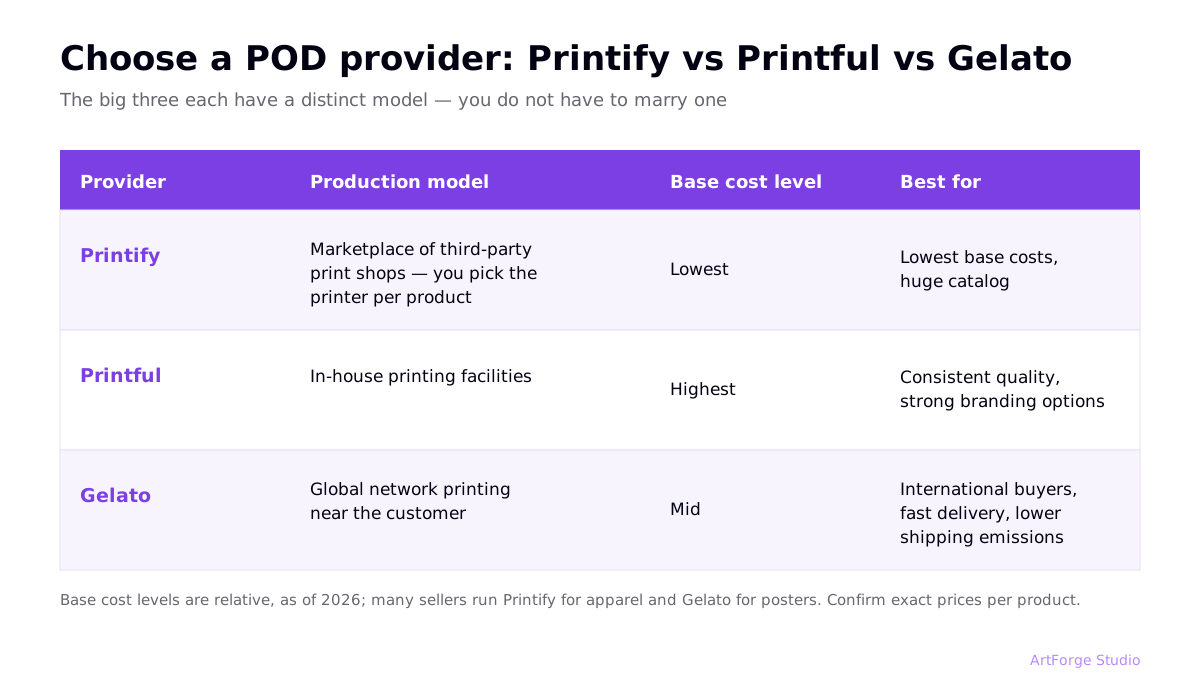
The big three each have a distinct model:
| Provider | Model | Best for | Trade-off |
|---|---|---|---|
| Printify | Marketplace of third-party print shops — you pick the printer per product | Lowest base costs, huge catalog | Quality varies by print partner; order samples |
| Printful | In-house printing facilities | Consistent quality, strong branding options | Higher base costs than Printify |
| Gelato | Global network printing near the customer | International buyers, fast delivery, lower shipping emissions | Catalog is smaller in some categories |
You do not have to marry one. Many sellers run Printify for apparel and Gelato for posters. ArtForge connects to all three, so you can publish the same design wherever the economics are best.
Step 4: Create designs that are actually print-ready
This is where AI has changed the game. You no longer need Illustrator skills — you need good prompts and correct file preparation.
The design production loop
- Generate: Use an AI image generator to produce design candidates from text prompts. (See our comparison of AI generators for POD.)
- Select ruthlessly: Generate 10, keep 2. Volume of attempts is cheap; bad listings are not.
- Make it print-ready: Printing needs roughly 300 DPI at the product's print size, usually a transparent-background PNG for apparel. Most AI output needs upscaling and background removal first.
- Check for trademarks: A design that references a brand, character, or sports team can get your shop suspended. Read the trademark rules for POD sellers before you publish.
Step 5: Choose where to sell
- Etsy — built-in buyer traffic searching for exactly what POD offers (gifts, niche apparel, wall art). Fees per sale, but no audience-building required. The default first channel for most sellers.
- Your own Shopify store — full control and better margins, but you bring 100% of the traffic. Better as a second channel once designs are proven.
- Amazon (Merch on Demand / marketplace) — massive volume, invite/approval hurdles, and fierce competition.
Start on Etsy unless you already have an audience. Proven designs can be expanded to other channels later.
Step 6: Write listings that rank
Etsy search rewards relevance: your title, tags, and description should contain the phrases buyers actually type. Front-load the most important keyword in the title, use all 13 tags with multi-word phrases, and write descriptions that repeat key phrases naturally. This is a craft of its own — we cover formulas and examples in Etsy SEO for print on demand.
Step 7: Launch, measure, iterate
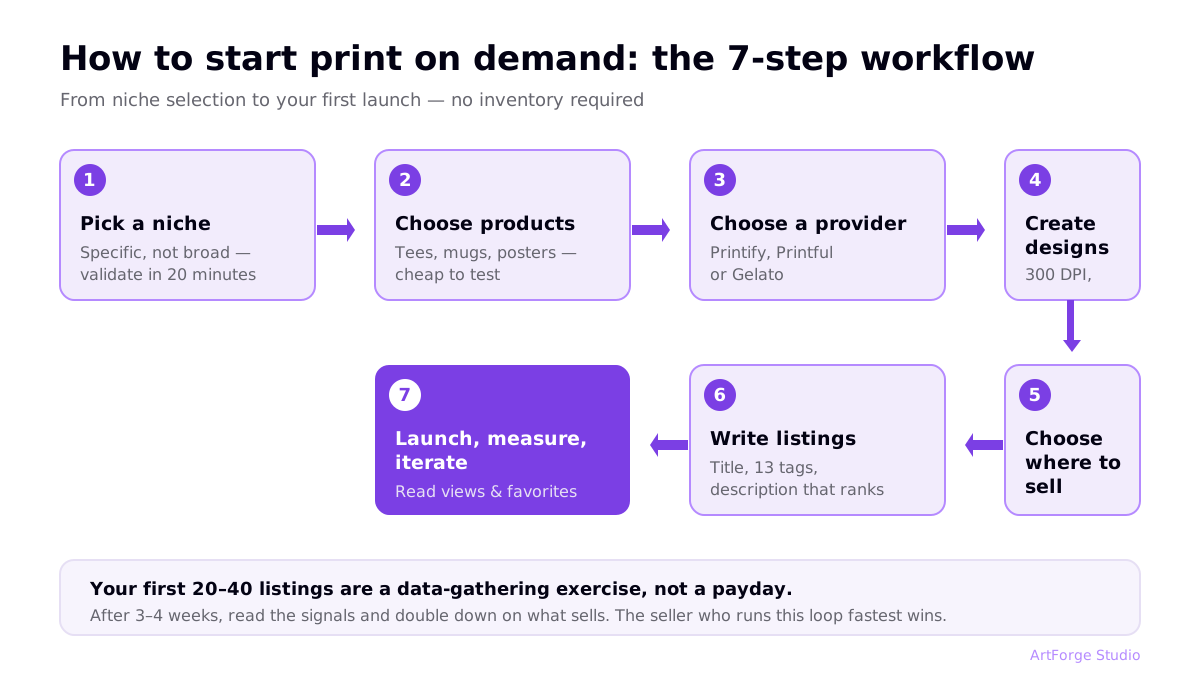
Your first 20 listings are a data-gathering exercise, not a payday. After 3–4 weeks, look at views and favorites per listing:
- No views: an SEO problem — rework titles and tags.
- Views but no favorites or sales: a design or mockup problem — the listing gets found but does not convince.
- Favorites and some sales: a winner — make variations of this design and expand it to more products.
The sellers who win in 2026 are the ones who can run this loop fastest. If producing one listing takes you an hour, you get 5 experiments a week; automate it down to minutes and you get 50. That compounding difference is the whole game — see how in our guide to print-on-demand automation.
What it realistically costs to start
| Item | Typical cost | Notes |
|---|---|---|
| POD provider account | Free | Printify, Printful, and Gelato are free to join; paid tiers add discounts |
| Etsy listing fee | $0.20 per listing | Renews on sale; transaction and payment fees apply per sale |
| Design tooling | $0–30/month | AI generation and print-prep tools; see ArtForge pricing |
| Sample orders | ~$10–20 each | Order at least one sample per product type before scaling |
No inventory, no minimums, no warehouse. The real investment is time — and how efficiently you convert it into published experiments.
Five mistakes that kill new POD shops
- Uploading low-resolution files. Blurry prints mean refunds and bad reviews. Follow the 300 DPI guide.
- Using trademarked phrases or characters. The fastest route to a suspended shop. Check first.
- Launching 5 designs and waiting. Five listings is not a test. Aim for 20–40 in your first month.
- Copying bestsellers exactly. You will always be a worse version of an established listing. Take the demand signal, make a different design.
- Skipping sample orders. Print quality varies between products and providers. Verify before you scale a design.
FAQ
How much money do I need to start print on demand?
Very little compared to traditional e-commerce. You pay nothing for inventory — the provider prints after a customer orders. Typical startup costs are marketplace listing fees (Etsy charges $0.20 per listing), an optional design tool subscription, and a few sample orders. Most people can launch for well under $100.
How long does it take to get your first sale?
It varies widely. New shops with a focused niche and 20–40 well-optimized listings often see first sales within a few weeks to a couple of months. Shops with a handful of generic designs can wait much longer. Listing volume, niche specificity, and SEO quality are the biggest levers you control.
Do I need design skills?
Not anymore. AI image generators produce commercial-quality artwork from text prompts. You still need taste — choosing what fits a niche — and files must be made print-ready (resolution, transparent background, 300 DPI). Tools like ArtForge handle the technical preparation automatically.
Is print on demand still worth starting in 2026?
Yes, but the bar is higher. Generic designs no longer sell. Sellers who win pick specific niches, produce designs in volume, optimize listings for search, and automate the repetitive parts of the workflow so they can test more ideas than competitors.