How to Connect Printful to Etsy (Full 2026 Setup)
Connecting Printful to Etsy lets you sell custom products without holding inventory: you design a product, list it on Etsy, and when a customer buys, Printful prints and ships it directly to them. The link takes only a few minutes to set up, and the full first-time process — including your first product and the required production-partner disclosure — usually runs about 15 to 30 minutes.
This guide walks through the entire Printful and Etsy setup in order: opening the shop, linking the two accounts, the one Etsy compliance step most beginners miss, how to price around fees so you actually keep a profit, and how orders flow automatically once you are live.
Before you start: what you need
Two accounts and one design. Specifically:
- An Etsy seller account — free to register, though Etsy charges a $0.20 fee per listing you publish.
- A Printful account — free to create, with no monthly cost on the standard tier. You pay only the product base cost and shipping when an order comes in.
- At least one print-ready design — ideally a high-resolution, transparent-background file. If you are generating artwork with AI, prepare it first with our 300 DPI print-ready guide.
Step-by-step: linking Printful to Etsy
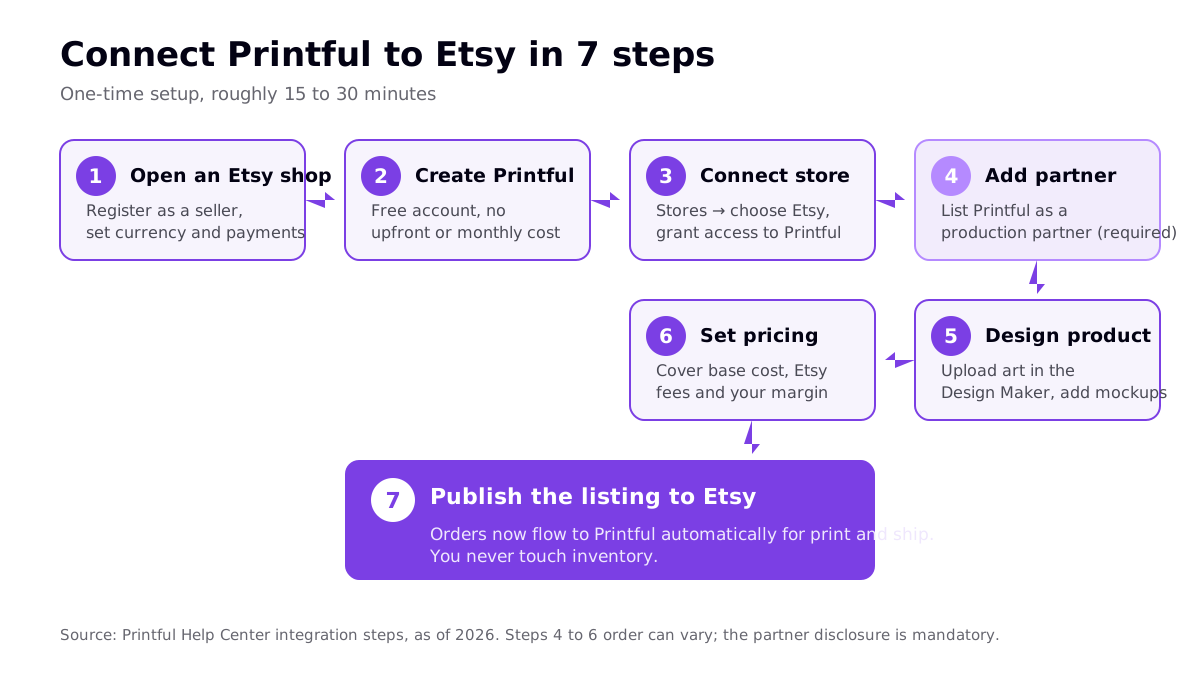
1. Open and configure your Etsy shop
Register as a seller, set your shop's currency, and complete Etsy's payment setup so you can receive payouts. You do not need any listings yet — Printful will push products into the shop for you.
2. Create your free Printful account
Sign up at Printful with no upfront cost. The free tier includes the full product catalog, the Design Maker, the Mockup Generator, and automatic fulfillment.
3. Connect the store
In the Printful dashboard, go to Stores, click Choose platform, and select Etsy. Click Connect to Etsy, sign in to your Etsy account, and click Grant access to authorize Printful. That authorization is what allows orders and tracking to sync between the two platforms.
4. Add Printful as a production partner (required)
This is the step beginners skip — and it matters. In your Etsy dashboard, go to Settings → Production partners (also reachable as "Partners you work with"), click Add production partner, fill in the details, and save. Etsy requires print-on-demand sellers to disclose the company that produces their items, both in shop settings and on the relevant listings. Printful prints and ships, but you must be the original designer. We cover the wider rules in our Etsy print on demand guide.
5. Design your product
Pick an item in the Printful catalog, upload your artwork in the Design Maker, position it on the print area, and generate mockups. Write the product title, description, and tags for Etsy search while you are here.
6. Set pricing that covers your costs
This is where many new shops lose money. Your retail price must cover the Printful base cost, shipping, Etsy's fees, and the margin you want to keep. More on the math below.
7. Publish to Etsy
Push the finished product to Etsy from Printful. The listing appears with images, variants, and details. From this point, orders fulfill automatically.
Pricing around Etsy fees and Printful costs
Etsy's mandatory fees, as of 2026, are a $0.20 listing fee, a 6.5% transaction fee on the total order (item + shipping), and a payment processing fee of 3% + $0.25 for US sellers. Most sellers land at an effective 11–15% before optional or mandatory Offsite Ads fees (12–15% on attributed orders). Printful's base cost for a standard t-shirt sits in the low teens, plus shipping.
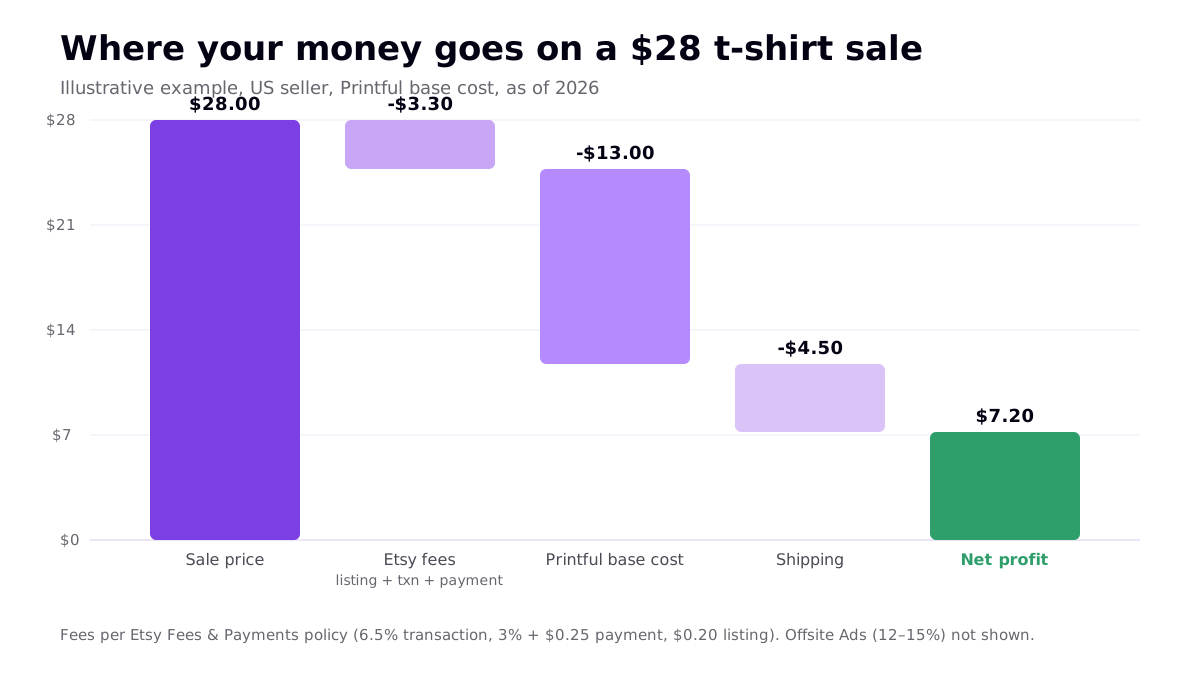
Here is how a single $28 t-shirt sale typically breaks down as an illustrative example:
| Line item | Example amount | Notes |
|---|---|---|
| Sale price | $28.00 | Your retail price on Etsy |
| Etsy fees | -$3.30 | $0.20 listing + 6.5% transaction + 3% + $0.25 payment |
| Printful base cost | -$13.00 | Varies by product; standard tee is in the low teens |
| Shipping | -$4.50 | Charged by Printful; often bundled into retail price |
| Net profit | ~$7.20 | Before Offsite Ads (12–15% if applicable) |
Two levers improve this: raise the retail price (buyers on Etsy expect gift-quality pricing, so there is room), or reduce base cost. Printful's optional Growth plan costs $24.99/month and becomes free once you reach $12K/year in sales; it gives up to 33% off product pricing, which meaningfully widens margins for higher-volume sellers.
How orders flow once you are live
The whole point of the integration is that you stop doing manual work per order. When a customer buys, Etsy collects payment and passes the order to Printful; Printful charges your card the base cost plus shipping, prints the item, ships it directly to the customer, and syncs the tracking number back to Etsy.
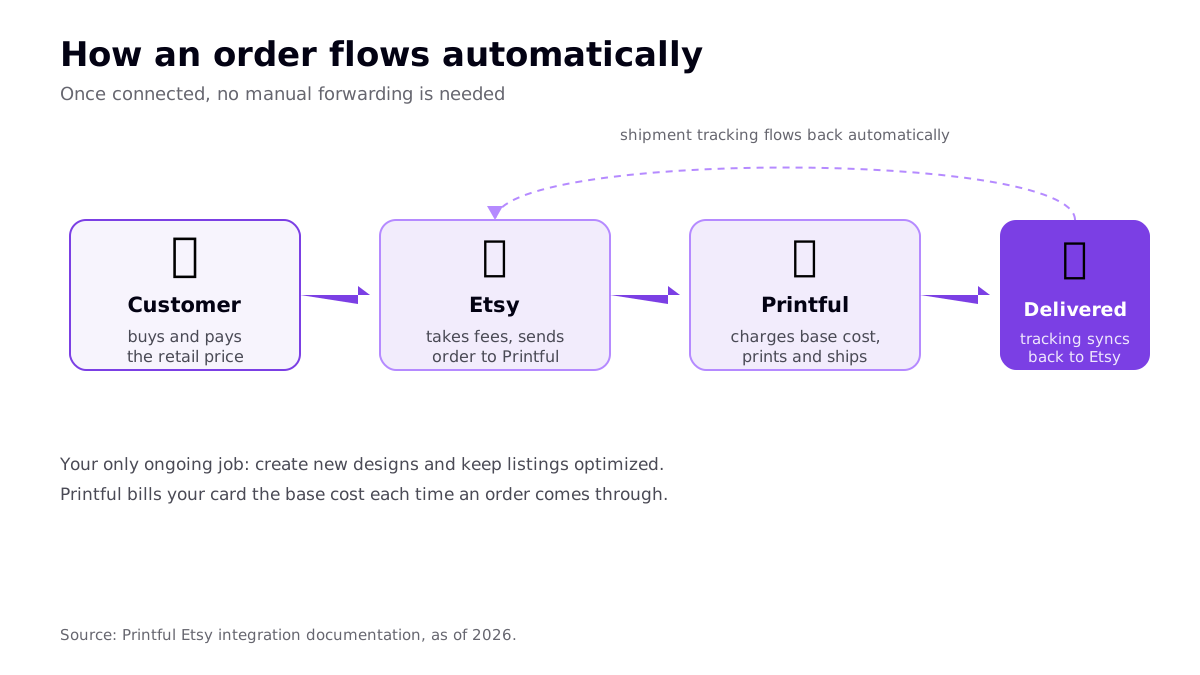
Your only recurring work is producing new designs and keeping listings optimized for Etsy search. That is the real leverage point — the sellers who win publish and test far more designs than everyone else.
Common setup mistakes to avoid
- Skipping the production-partner disclosure. It is required, and it is the most common trigger for policy flags on POD shops.
- Pricing at cost. If you forget Etsy fees or shipping, a "profitable" price can be break-even or worse.
- Uploading low-resolution art. Blurry prints mean refunds and bad reviews. Aim for roughly 300 DPI at the print size.
- Publishing five listings and waiting. Five listings is not a test. Aim for 20 to 40 well-optimized listings in your first month.
- Using trademarked names or characters. A fast route to suspension across both platforms.
Printful and Etsy vs other setups
Printful is not your only option for Etsy fulfillment. Providers like Printify and Gelato also integrate with Etsy, each with different base costs and catalogs. Printful's advantage is consistent in-house print quality and strong branding options; the trade-off is higher base costs than marketplace-style providers. If you sell wall art or ship internationally, compare with our Gelato review before committing to one partner. Many sellers run more than one.
Frequently asked questions
Is it free to connect Printful to Etsy?
Yes. A Printful account is free to create and there is no fee to connect it to Etsy. You only pay Printful the product base cost plus shipping when a customer places an order. Etsy charges its own separate fees per listing and per sale. Printful's paid Growth plan is optional and mainly adds product discounts.
Do I have to list Printful as a production partner on Etsy?
Yes, this is required. Etsy's policies require print-on-demand sellers to disclose the company that produces their items as a production partner in shop settings and to add it to the relevant listings. Printful prints and ships, but you must be the original designer. Skipping this disclosure is one of the most common reasons POD shops get flagged.
How much profit can you make selling Printful products on Etsy?
It depends on your retail price and product. On a typical t-shirt sold around $25 to $30, after a Printful base cost near $13, shipping, and Etsy fees of roughly 11 to 15 percent before offsite ads, sellers often net somewhere in the mid single digits to low teens per sale. Higher-priced or lighter items usually leave more margin.
How long does Printful to Etsy setup take?
The connection itself takes only a few minutes: log in to Printful, choose Etsy under Stores, and grant access. Building your first product with a design and mockups, then adding the production partner and pricing, usually pushes the full first-time setup to about 15 to 30 minutes.
Related reading
- Etsy Print on Demand: How to Sell POD on Etsy
- Printful Print on Demand: Honest 2026 Review
- Etsy SEO for Print on Demand
- Shopify Print on Demand: Complete 2026 Guide