T Shirt Drawing: Sketch Designs Step by Step
T shirt drawing is the fastest way to turn a rough idea into a wearable design, and you do not need to be a trained illustrator to do it well. The process is always the same four moves: sketch loosely, tighten it into clean line art, add ink or color, then digitize the result into a print-ready file. Master that loop and even a stick-figure-level artist can produce shirts that look intentional.
This guide walks through each stage of drawing a t shirt design with practical detail — including how to scan and vectorize a hand-drawn piece so it prints sharp — plus a set of easy prompts to get you moving today.
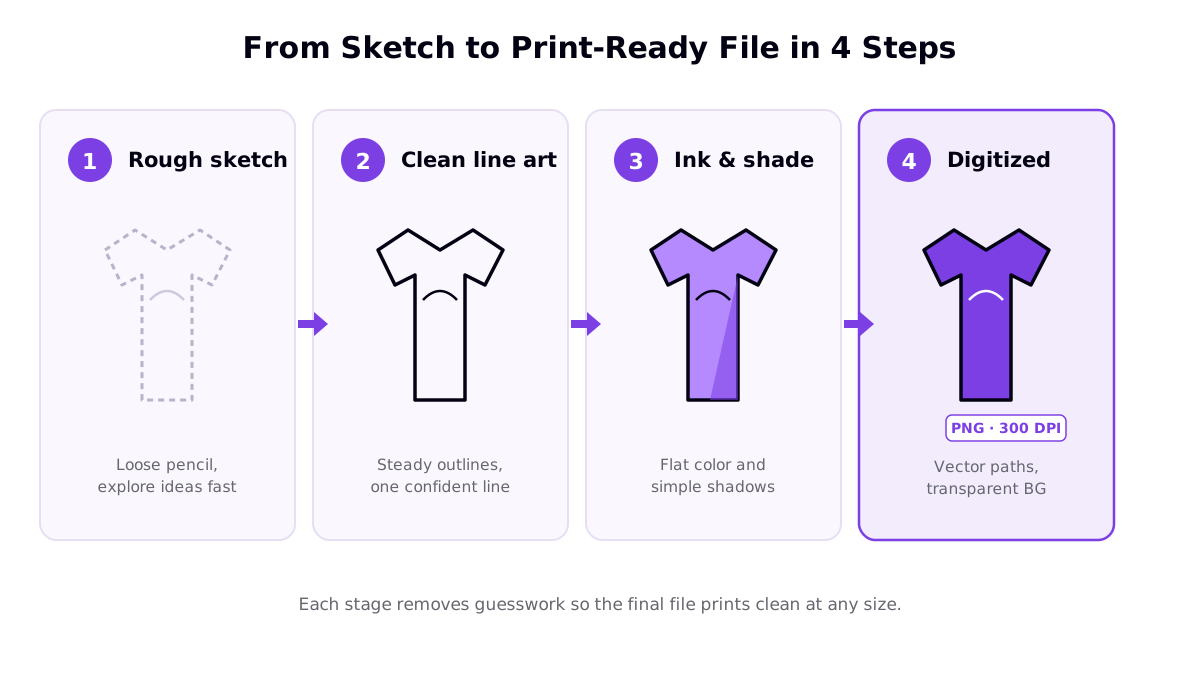
The four stages of drawing a t shirt design
Skipping stages is the most common beginner mistake. People try to draw a "final" version on the first pass, get frustrated, and quit. Treat each stage as disposable and the pressure disappears.
Stage 1: Rough sketch
Draw fast and messy. The point is to get the composition and idea out of your head — proportions, where the text sits, how big the main element is. Use light pencil or a low-opacity brush so nothing feels permanent. Sketch the concept three or four times on one page and pick the strongest before you commit to detail.
Stage 2: Clean line art
Now trace over your chosen sketch with one confident, steady line. A single deliberate stroke reads as design; lots of scratchy overlapping lines read as unfinished. If your hand is shaky, draw the line slowly in one motion rather than "sketching" it repeatedly. This is also the stage to fix proportions and simplify anything cluttered.
Stage 3: Ink and color
Add flat color, then simple shadows if the style calls for them. Restraint wins here. One or two colors print cleaner across different garment colors and read from across a room — the whole reason someone buys a graphic tee. Full-spectrum shading rarely improves a shirt and often makes it harder to print. If you are unsure, keep it black and white; some of the best-selling designs are pure line art.
Stage 4: Digitize
The final step converts your artwork into a file a printer can use: a high-resolution PNG with a transparent background for most apparel, or vector paths if your design is line-based. We cover the mechanics of that conversion in the next section, because it is where most hand-drawn designs succeed or fail.
How to scan and vectorize a hand-drawn t shirt design
A drawing on paper cannot go straight to a print provider. A phone photo of a sketch prints muddy and pixelated. You need to capture it cleanly, remove the paper, and — ideally — turn it into vector paths.
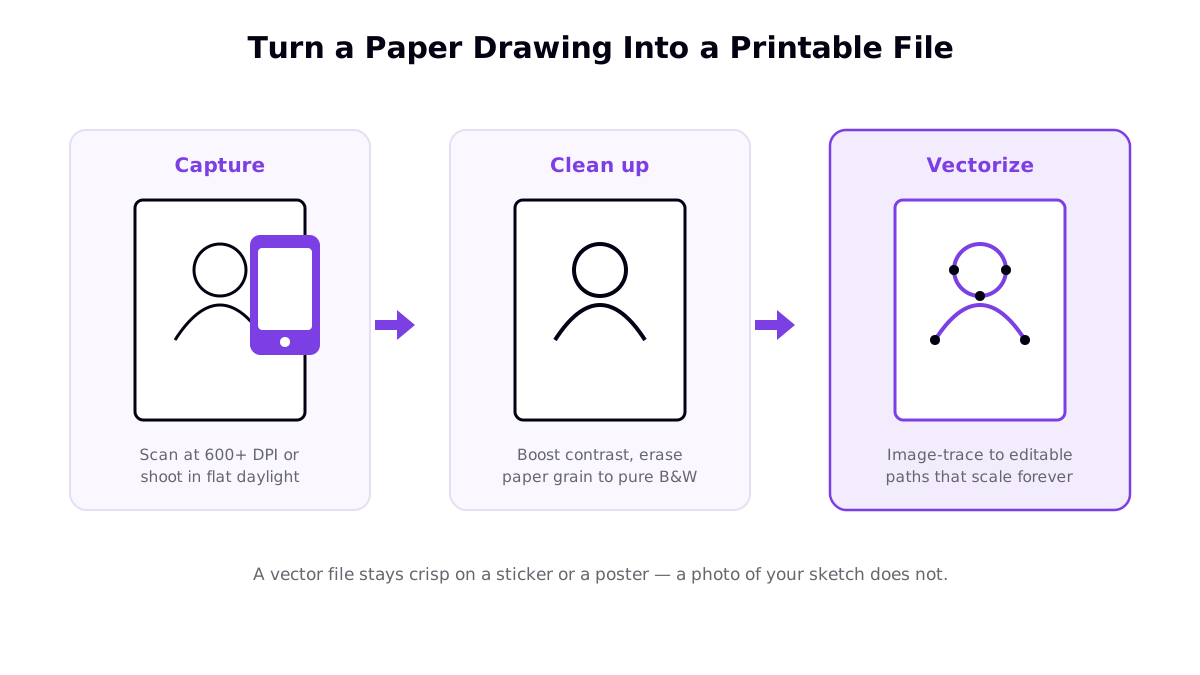
- Capture cleanly. Scan at 600 DPI or higher if you can. No scanner? Photograph the drawing flat in bright, even daylight, avoiding shadows and angle distortion.
- Clean it up. Increase contrast until the paper turns pure white and your lines turn solid black. Erase stray marks and paper grain so only the artwork remains.
- Vectorize it. Use an image-trace feature (in vector editors) to convert the black-and-white art into editable paths. Vectors scale infinitely — the same file works on a sticker or a 24×36 poster with zero quality loss.
If you would rather draw digitally from the start, an Adobe Illustrator t shirt design workflow lets you skip scanning entirely and work in vectors natively.
Print-ready checklist for a t shirt drawing
| Requirement | What to aim for | Why it matters |
|---|---|---|
| Resolution | ~300 DPI at final print size (chest print ≈ 12×16 in) | Below this, prints look soft or pixelated |
| File format | Transparent PNG for raster; SVG/AI for vector line art | Transparency lets the garment color show through; vectors scale |
| Color mode | RGB for digital methods; confirm with your provider | Mismatched color modes shift the printed colors |
| Background | Fully transparent, no white box | A hidden white rectangle prints as an ugly panel on colored shirts |
| Color count | Keep it small and deliberate | Fewer colors print cleaner and can lower cost on some methods |
Once the file is clean, the printing method your provider uses will affect how your drawing reproduces. A detailed line drawing behaves differently under DTF t shirt printing than under screen printing, so it is worth understanding the options before you scale a design.
Easy t shirt drawing prompts to start with
The best way to improve is to finish designs, not to plan them. These nine prompts are ordered by difficulty and all translate cleanly to apparel — simple shapes, strong silhouettes, and readable-from-a-distance compositions.
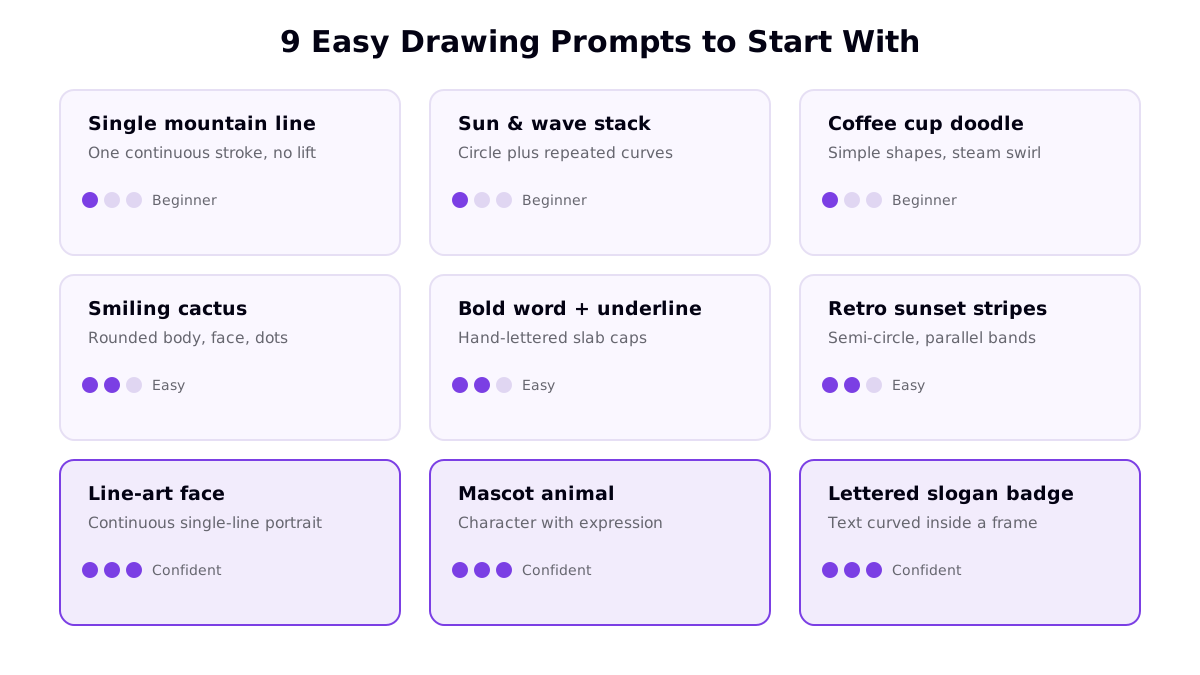
- Beginner: single mountain line, sun-and-wave stack, coffee cup doodle. These are one- or two-shape drawings that still look designed.
- Easy: smiling cactus, a bold hand-lettered word with an underline, retro sunset stripes. Add a little personality and repetition.
- Confident: a continuous single-line face, a mascot animal with an expression, a lettered slogan inside a badge frame. These push composition and character.
Draw one prompt per day for a week and you will have a small collection — and far more skill than you started with. If lettering is your favorite direction, our guide to typography t shirt design goes deep on fonts and layout.
Common t shirt drawing mistakes to avoid
- Too much detail. Intricate drawings shrink to a chest print and lose their impact. Simplify aggressively.
- Drawing to the edges. Leave breathing room. A design should sit comfortably inside the print area, not crowd it.
- Ignoring the shirt color. A drawing that pops on white can vanish on black. Design for the garment colors you plan to sell.
- Hidden white backgrounds. Always export with true transparency, or a white panel prints behind your art.
- Skipping the vector step. Raster-only line art limits your product range. Vectorize when you can.
Frequently asked questions
How do you start a t shirt drawing if you cannot draw well?
Start with one-line and shape-based prompts that need no realism: a single mountain outline, a sun-and-wave stack, or a bold hand-lettered word. These read as intentional design, not amateur art. Sketch loosely first, then trace one clean version over the top. Confidence in a single line matters more than accuracy, and simple concepts are usually the best sellers anyway.
Can I use a hand-drawn t shirt design for printing?
Yes, but a photo or low-quality scan will print blurry. Scan the drawing at 600 DPI or more (or photograph it flat in daylight), boost the contrast to clean black-and-white line art, then trace it into vector paths using image-trace tools. A vector file stays sharp at any size, from a sticker to a poster.
What resolution does a t shirt drawing need to print?
Aim for roughly 300 DPI at the final print size, which for a chest print is around 12 by 16 inches. Raster drawings should be exported as high-resolution PNG files with a transparent background for apparel. Vectorized line art avoids the resolution question entirely because it scales without losing quality.
Should a t shirt drawing be in color or black and white?
Both sell, but limited color is often smarter. One- and two-color drawings print cleaner across garment colors, cost less on some methods, and read from a distance. If you add color, keep it to a small deliberate palette rather than full-spectrum shading, especially for line-art styles.